
Everything You Need to Know About Epson Printer
Introduction
Choosing the right printer can improve productivity, reduce operating costs, and ensure high-quality printing for your home or business. Epson offers models for everything from occasional home printing to high-volume business operations.
This guide covers key factors to consider when selecting an Epson printer and helps you find the best model for your needs.
Why Choose an Epson Printer?
Epson has built a strong reputation for producing reliable, innovative, and cost-effective printing solutions. Their printers are known for:
- High-quality print output
- Energy-efficient operation
- Wireless connectivity
- Low-cost printing with EcoTank technology
- Durable and reliable performance
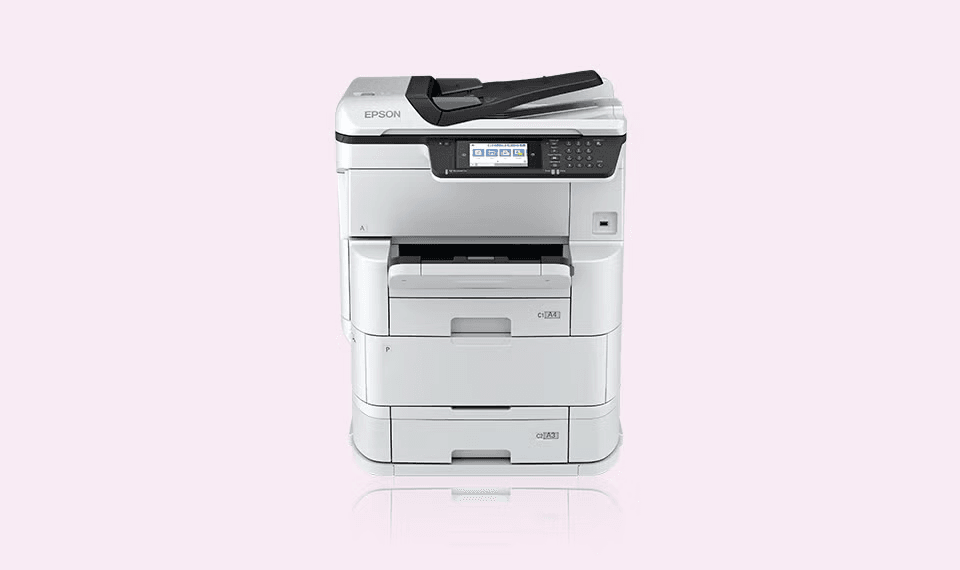
Types of Epson Printers
1. EcoTank Printers
EcoTank printers use refillable ink tanks instead of traditional cartridges, allowing users to print thousands of pages before needing a refill.
Best for:
- Small businesses
- Home offices
- Schools
- High-volume printing
Benefits:
- Lower cost per page
- Less frequent ink replacement
- Reduced waste
2. Multifunction Printers (MFPs)
These printers combine printing, scanning, copying, and sometimes faxing into a single device.
Best for:
- Offices
- Businesses
- Shared workspaces
Benefits:
- Saves space
- Improves efficiency
- Reduces equipment costs
3. Photo Printers
Designed to produce high-quality images with vibrant colors and fine detail.
Best for:
- Photographers
- Graphic designers
- Creative professionals
4. Business Inkjet Printers
Built for demanding office environments that require fast printing speeds and reliable performance.
Best for:
- Medium and large businesses
- Corporate offices
- Government institutions
Key Features to Consider
Print Volume
Estimate how many pages you print each month.
- Low volume: Home users and students
- Medium volume: Small businesses
- High volume: Large offices and institutions
Print Speed
Measured in pages per minute (PPM).
Consider faster models if your organization regularly prints:
- Reports
- Invoices
- Contracts
- Marketing materials
Connectivity Options
Modern Epson printers offer:
- Wi-Fi connectivity
- USB connections
- Ethernet networking
- Mobile printing support
- Cloud printing services
Paper Handling
Check:
- Input tray capacity
- Automatic document feeder (ADF)
- Duplex (double-sided) printing support
- Supported paper sizes
Print Quality
Print quality is measured in DPI (dots per inch).
Higher DPI ratings are ideal for:
- Photographs
- Marketing materials
- Detailed graphics
Cost Considerations
When purchasing a printer, don’t focus only on the purchase price.
Consider:
- Ink replacement costs
- Maintenance expenses
- Energy consumption
- Expected print volume
Maintenance Tips
To keep your Epson printer performing optimally:
- Use genuine Epson ink when possible.
- Print regularly to prevent ink drying.
- Keep the printer clean and dust-free.
- Update printer firmware when available.
- Follow recommended maintenance schedules.
Final Thoughts
The best Epson printer depends on your printing needs, budget, and expected workload. Home users may benefit from compact wireless models, while businesses often achieve better value with multifunction EcoTank printers designed for high-volume use.
By evaluating print volume, connectivity, running costs, and required features, you can confidently choose an Epson printer that delivers reliable performance and long-term value for years to come.
