
Introduction
Projector screens for business presentations turn any office into a professional meeting space. They sharpen visuals and boost audience focus. Additionally, the right screen improves clarity during client pitches and internal training sessions. Choosing between manual, tripod, and electric options depends on your space, budget, and usage frequency. This guide breaks down each type clearly.
Types of Projector screens
Manual Projector Screens For Business
Manual screens use a pull-down mechanism for quick setup. Consequently, they suit offices with fixed meeting rooms and tight budgets. These screens mount on walls or ceilings permanently. Therefore, staff avoid repeated installation each time they present.
Key features
Affordable pricing compared to motorized alternatives
Simple pull-down and retract mechanism
Durable matte white fabric for clear image reflection
Compact design that fits small conference rooms
Tripod Projector Screens for Business
Tripod screens stand independently on adjustable legs. As a result, teams can move them between rooms easily. They work well for companies without dedicated presentation spaces. Furthermore, tripod screens set up in under two minutes without tools.
Key features:
Lightweight frame for effortless transportation
Adjustable height to match different room sizes
No wall or ceiling mounting required
Quick fold-away storage after each use
Electric Projector Screens
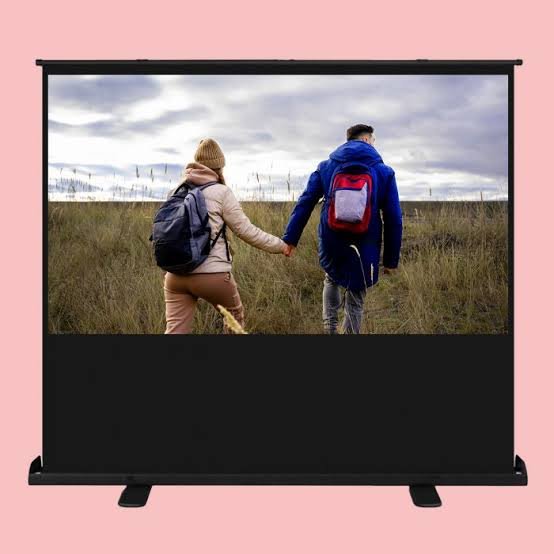
Electric screens lower and retract using a motorized remote control. Hence, they eliminate manual effort during busy meeting schedules. Many models integrate with smart room systems. Consequently, staff control screens without leaving their seats during presentations.
Key features:
Remote-controlled operation for fast setup
Smooth motorized descent and retraction
Sleek design that suits modern boardrooms
Optional wall switch or app integration
Comparing the Three Screen Types
Manual screens cost less but require physical effort each time. Tripod screens offer portability but lack a permanent professional appearance. Electric screens deliver convenience and polish but come at a higher price. Therefore, businesses should weigh cost against convenience before deciding.
Meeting frequency matters when choosing between these options. Companies hosting daily client meetings benefit most from electric screens. Meanwhile, occasional presenters find manual or tripod screens sufficient. Ultimately, matching screen type to actual usage saves money long term.
Why Screen Material Matters
Screen material affects image sharpness regardless of screen type. Matte white fabric offers wide viewing angles and accurate colors. Additionally, some screens use grey fabric for better contrast in bright rooms. Therefore, consider your room lighting before selecting fabric type.
Gain size also influences image brightness and clarity. Higher gain screens reflect more light back toward viewers. However, they narrow the viewing angle compared to standard fabric. Consequently, balance gain level against your room’s seating arrangement.
Room Size and Screen Placement
Room dimensions determine the ideal screen size for presentations. Small meeting rooms suit screens between 70 and 100 inches diagonally. Larger conference halls require screens exceeding 120 inches for visibility. Meanwhile, placement height should keep the bottom edge above seated heads.
Ambient light also affects placement decisions significantly. Rooms with large windows benefit from screens positioned away from direct sunlight. Alternatively, blackout curtains improve image quality regardless of screen type chosen. Therefore, assess your room’s lighting conditions carefully first.
Maintenance Tips for Longer Screen Life
Regular cleaning keeps projector fabric free from dust and stains. Use a soft, dry cloth for routine wiping sessions. Avoid harsh chemicals since they damage the reflective coating. Consequently, gentle maintenance extends screen lifespan significantly over time.
Storage also protects screens between uses effectively. Retract manual and electric screens fully after each meeting. Similarly, fold tripod screens carefully to prevent fabric creasing. Proper storage habits reduce wear and maintain image quality.
Choosing the Right Projector Screens for Business
Selecting projector screens for business needs depends on your space and budget. Manual screens suit fixed rooms with limited funds. Tripod screens fit mobile teams needing flexibility across locations. Electric screens deliver convenience for companies hosting frequent presentations.
Evaluate your meeting frequency, room size, and lighting before purchasing. Additionally, consider long-term costs against upfront pricing differences. Ultimately, the right screen improves presentation quality and audience engagement significantly.

Upgrade your boardroom today by picking the right projector screen for your boardroom.